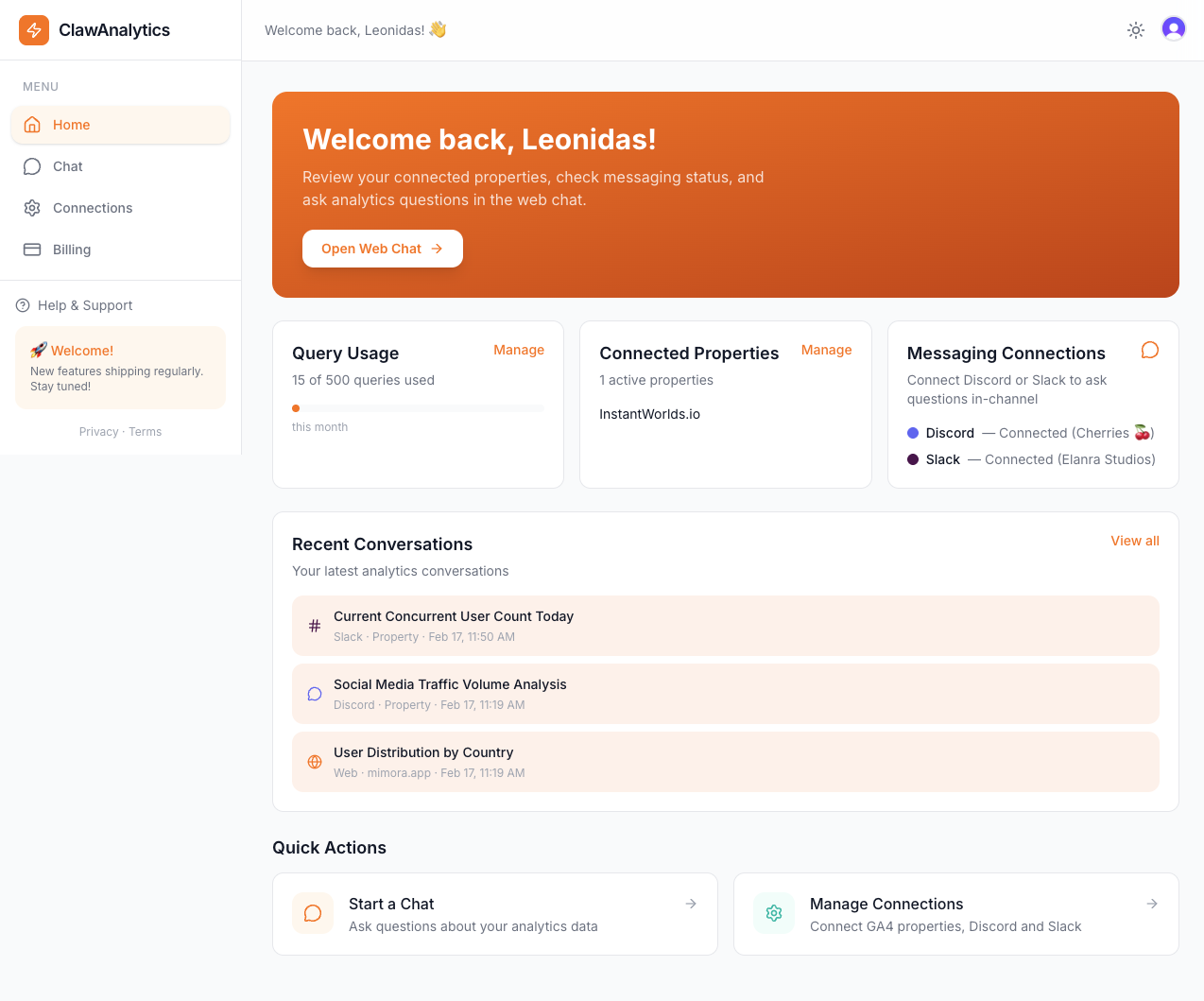
Your traffic, top pages, and key metrics — all in one place. Check anytime from the dashboard or Discord.
💬
3
Ask follow-up questions
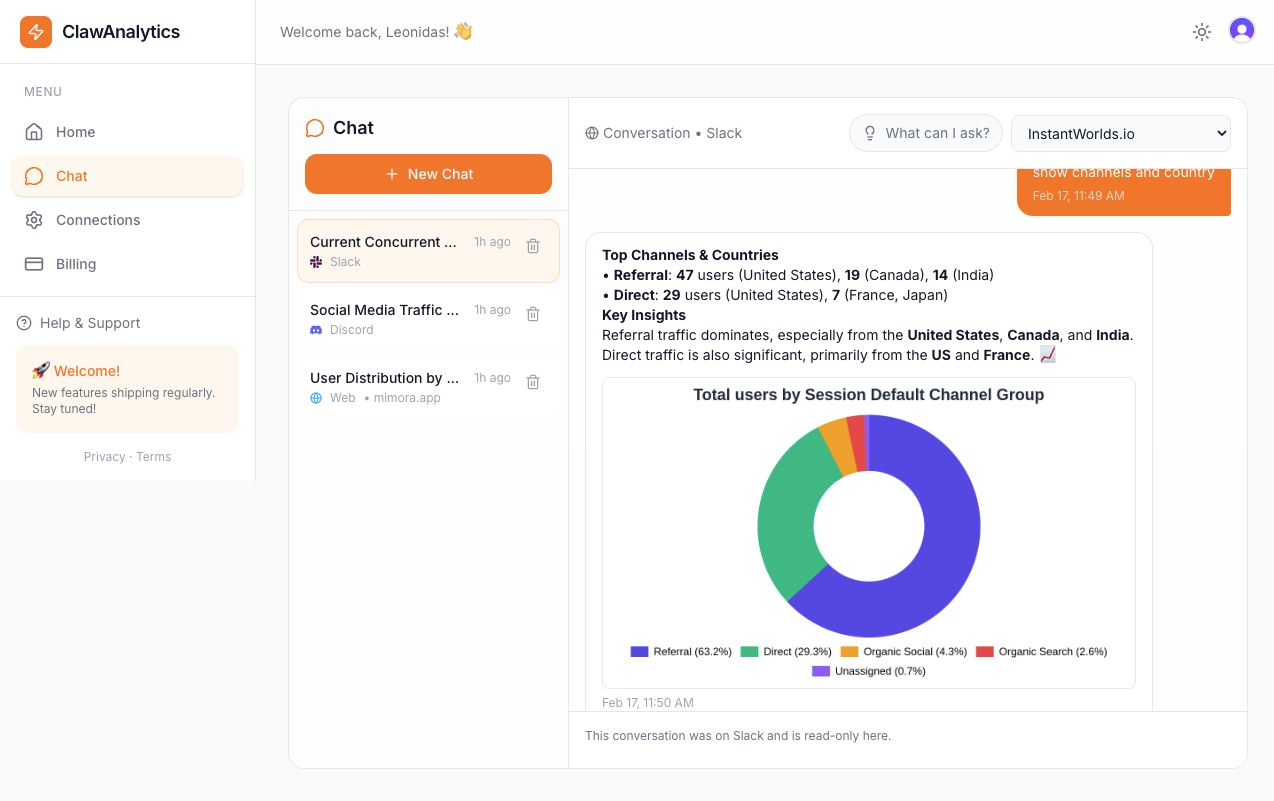
"Why did traffic spike Tuesday?" Get answers with charts in seconds — from the dashboard, Discord, or Slack.
Just ask. Like talking to a person.
No query language. No filters. No date pickers. Just plain English.
📈
"How's traffic today?"
Quick daily check
📊
"Compare this week to last week"
Trend comparison
🌍
"Which countries visit most?"
Geographic breakdown
👀
"How many users online right now?"
Real-time data
🔔
"Alert me if traffic drops 20%"
Proactive alerts (Coming soon)
💰
"How much ad revenue did I make this week?"
AdSense & ad revenue tracking
MCP Server — Live now
Your AI agent can now talk to your analytics
ClawAnalytics MCP returns answers, not raw data — natural language responses and chart images delivered directly to Claude, OpenClaw, Cursor, or any AI agent.
🔑
STEP 1
Get your API key
Go to Connections in your dashboard. Copy your ca_live_ key.
🔌
STEP 2
Add the MCP URL
Paste the config into Claude Desktop, OpenClaw, Cursor, or any MCP client.
💬
STEP 3
Get answers, not rows
Ask in plain English. Get a formatted response and a chart back — ready to share, not a spreadsheet to decode.
Add this to your MCP client config (Claude Desktop, OpenClaw, Cursor, or any MCP-compatible agent):
Your OpenClaw personal assistant can query your Google Analytics in seconds. Add ClawAnalytics as an MCP tool and ask your bot anything about your traffic, conversions, and revenue.
We take privacy seriously. Here's exactly how we handle your analytics data.
🔒
Read-only access
We can only view your analytics. We can never modify, delete, or change anything in your Google Analytics account.
🚫
Data never stored or sold
Your analytics data is fetched in real-time, used to answer your question, and not retained. We never sell or share your data.
🔐
Encrypted connections
All communication is encrypted via SSL/TLS. Your Google OAuth tokens are encrypted at rest.
🇪🇺
GDPR compliant
We follow GDPR guidelines for data handling and privacy. Your rights are protected.
↩️
Revoke anytime
Disconnect with one click from your dashboard, or revoke access directly from your Google account settings.
🛡️
No tracking scripts
We don't add any tracking code to your website. We just read what Google Analytics already collects.
Analytics answers in 10 seconds
Ask from the dashboard or Discord. Get a chart back. Done.
Web Dashboard"Show me daily traffic for the last 30 days"
"Top traffic sources this month?"
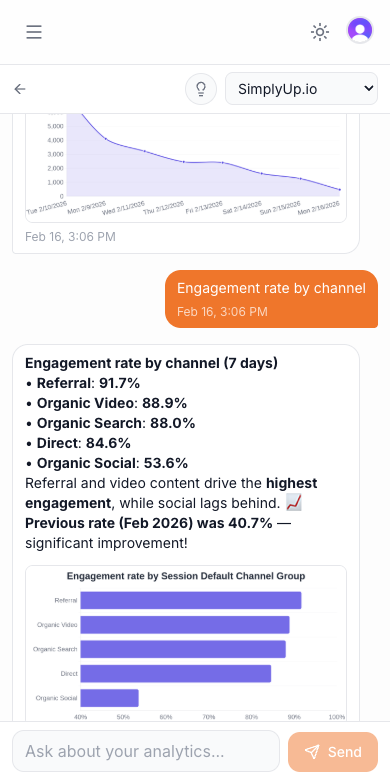
Works beautifully on desktop and mobile
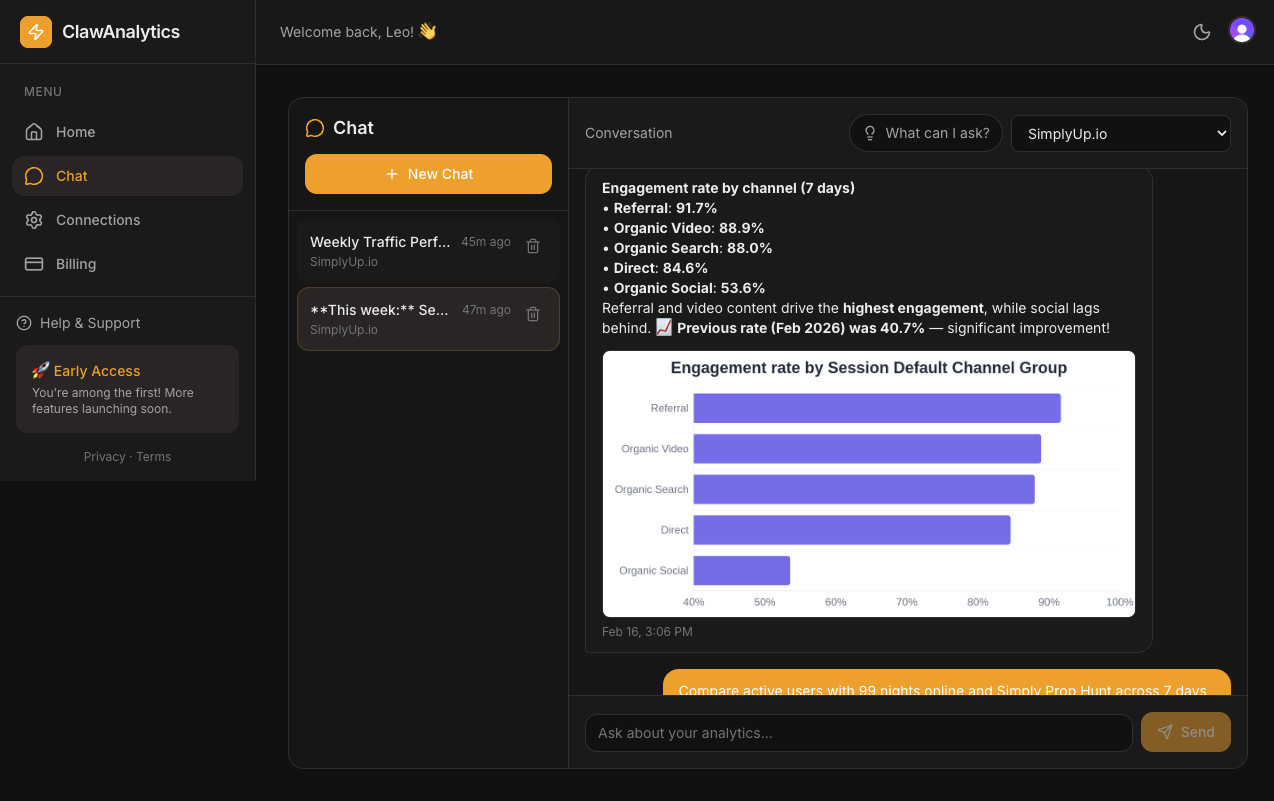
Light & Dark themes
Easy on the eyes, day or night.
Light mode
Dark mode
"I used to open Google Analytics 5 times a day and still miss things. Now I get a summary every morning and ask follow-ups when something looks off. Takes 10 seconds instead of 10 minutes."
Yes. We only request read-only access to your Google Analytics. We never modify or delete anything. Your data is fetched in real-time and not retained after answering your question. You can revoke access anytime from your Google account or our dashboard.
Does ClawAnalytics support AdSense / ad revenue data?
Yes. If your GA4 property is linked to AdSense, ClawAnalytics can answer questions about ad revenue, impressions, clicks, and revenue by page or traffic source — in plain English. Try asking "How much ad revenue did I earn this month?"
What messaging apps are supported?
The web dashboard is the primary interface — ask questions and get charts right in your browser. Discord and Slack integrations are also available for quick check-ins from your favorite messaging app.
Can I get alerts when something changes?
Soon! Proactive alerts are coming. You will be able to say things like "Alert me if traffic drops 20%" or "Let me know when I hit 1,000 visitors." We will monitor your data and message you when thresholds are triggered.
Do I need to be technical?
Not at all. If you can send a text message, you can use ClawAnalytics. No dashboards, no query languages, no settings to configure. Just ask.
How is this different from Google Analytics?
Google Analytics is the data source. ClawAnalytics is how you access it without learning dashboards. Think of it like asking your assistant instead of searching through a filing cabinet. Same data, way faster.
Can I cancel anytime?
Yes, no contracts. Cancel from your dashboard anytime. You keep access until the end of your billing period.
Built for every business
From coffee shops to SaaS companies — if you have Google Analytics, ClawAnalytics works for you.